POS · Bills · Receipts
Your restaurant till, as simple as a tap
Open the table bill, add dishes, send the ticket to the kitchen and close with cash or card. The fiscal receipt prints automatically on the fiscal printer.
- Table and counter bills with covers, notes and FOLLOW-UP courses
- Connected card terminal: the amount reaches it without retyping
- Works with Epson RT fiscal printers
30-day free trial of the Premium plan · No card required

What is the Digiristo POS?
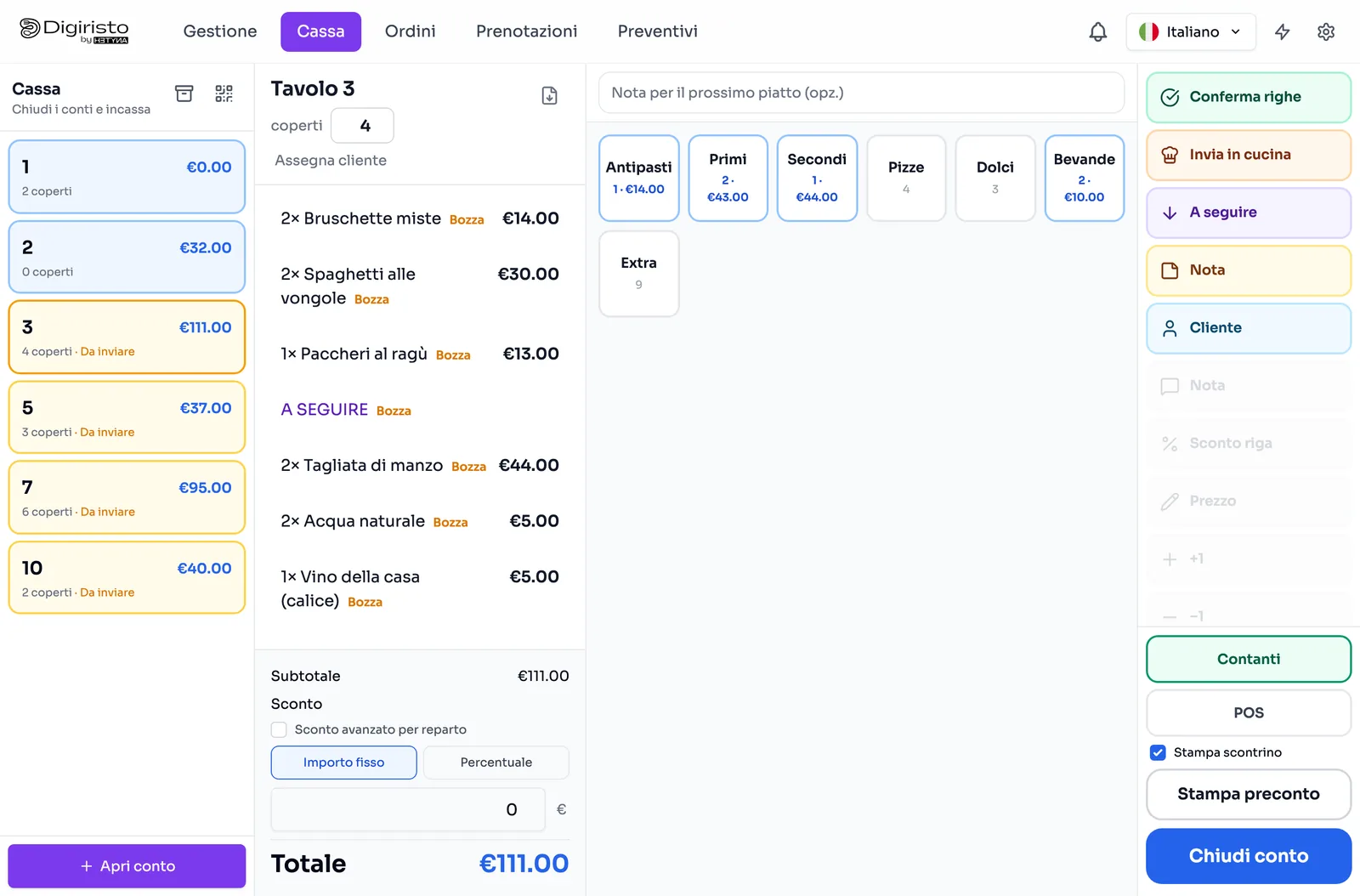
The Digiristo POS is till software for restaurants, pizzerias, trattorias and bars. It runs in the browser, as a desktop app for Windows and macOS, and on Android tablets and iPads. It manages table and counter bills, sends tickets to kitchen and bar printers, prints pre-bills, applies discounts and closes bills with cash, card, meal vouchers or "unpaid". It connects to card terminals using Protocol 17 and to Epson RT fiscal printers to issue the fiscal receipt and run the daily closure. It is part of the Premium plan, together with bookings, online orders and the waiter app.
Fewer till mistakes
Dishes come straight from the waiter's order: nothing is typed twice.
Faster checkouts
Tap the table, check the total, pick the payment method. Done.
All connected
POS, waiter app, floor plan, online orders and bookings are one system.
No proprietary hardware
Use the PC, tablet or Mac you already own, with standard Epson and ESC/POS printers.
Table bills
Every table at a glance
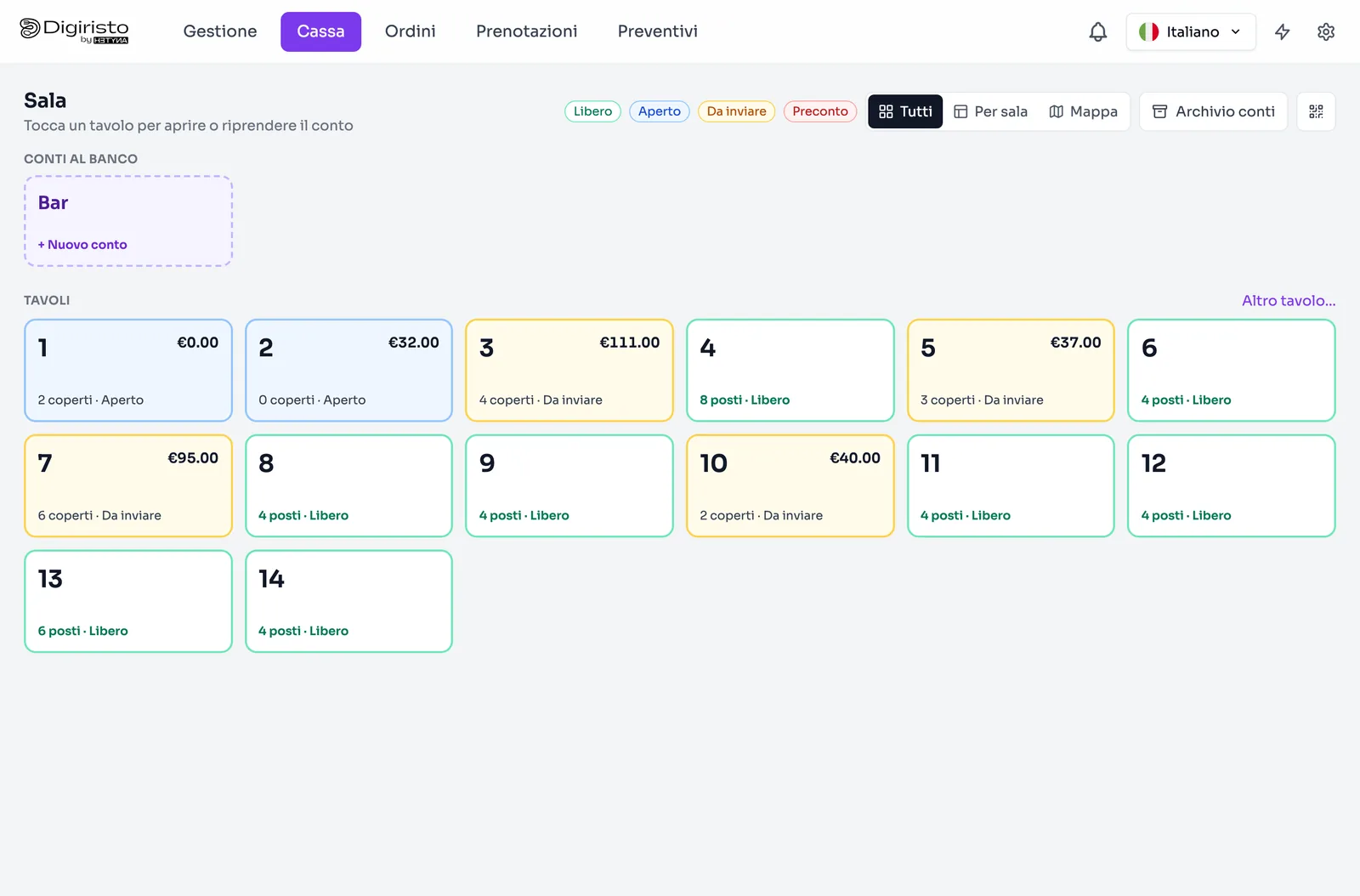
The Floor screen shows every table and its status: free, open, waiting to be sent or with a pre-bill printed. Next to the tables you find counter bills such as Bar or Takeaway, each with its own menu.
- Colours for free, open, to-send and pre-billed tables
- Grid view, per room or on the real floor plan
- Counter cash points (bar, takeaway) with a dedicated menu
- Quick "walk-in" table for guests without a booking
The bill
Add dishes, manage courses
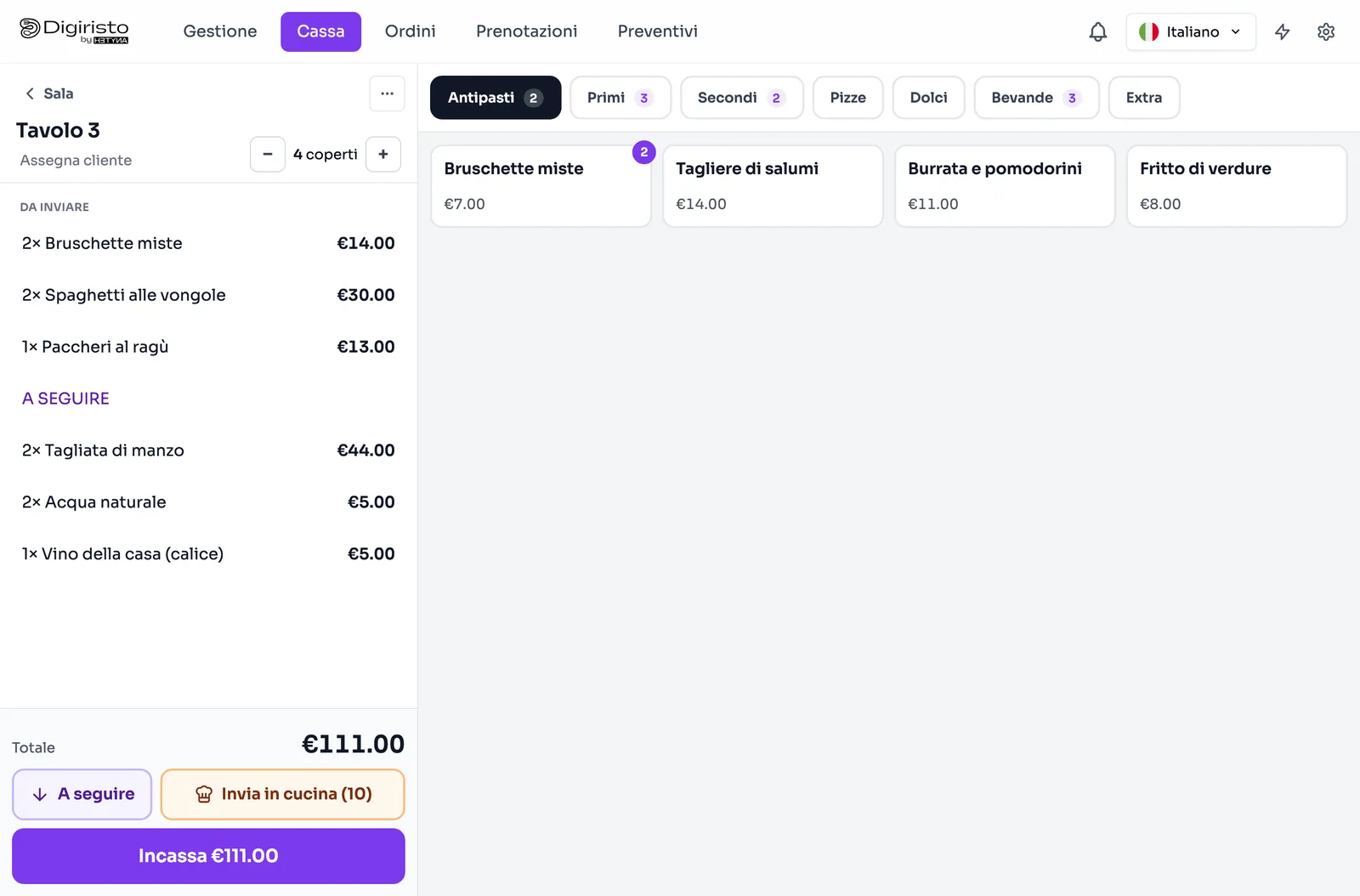
Pick a category and tap the dishes: the bill updates instantly. Insert a FOLLOW-UP marker to split courses, add a note for the kitchen and send everything to the right printers with Send to kitchen.
- Editable covers and quick extras (cover charge, service, add-ons)
- Items sold by weight in kg, hg or grams
- Notes per line and per bill, off-menu items
- Discounts per line, per bill (fixed or %) or per department
- Customer linked to the bill and downloadable PDF
Payments
Cash, card, meal vouchers: close in one tap
When closing, choose how the guest pays: cash with change, card, meal vouchers or unpaid for bills settled later. With a connected card terminal the amount is sent to the device and the result comes back to the till automatically.
- Printed pre-bill to bring to the table
- Network card terminal with Protocol 17 (ECR17): no amounts typed by hand
- Reversal of the last payment and recovery after a dropped connection
- Daily archive of closed bills, searchable and reopenable

Fiscal printer
Fiscal receipts and daily closure
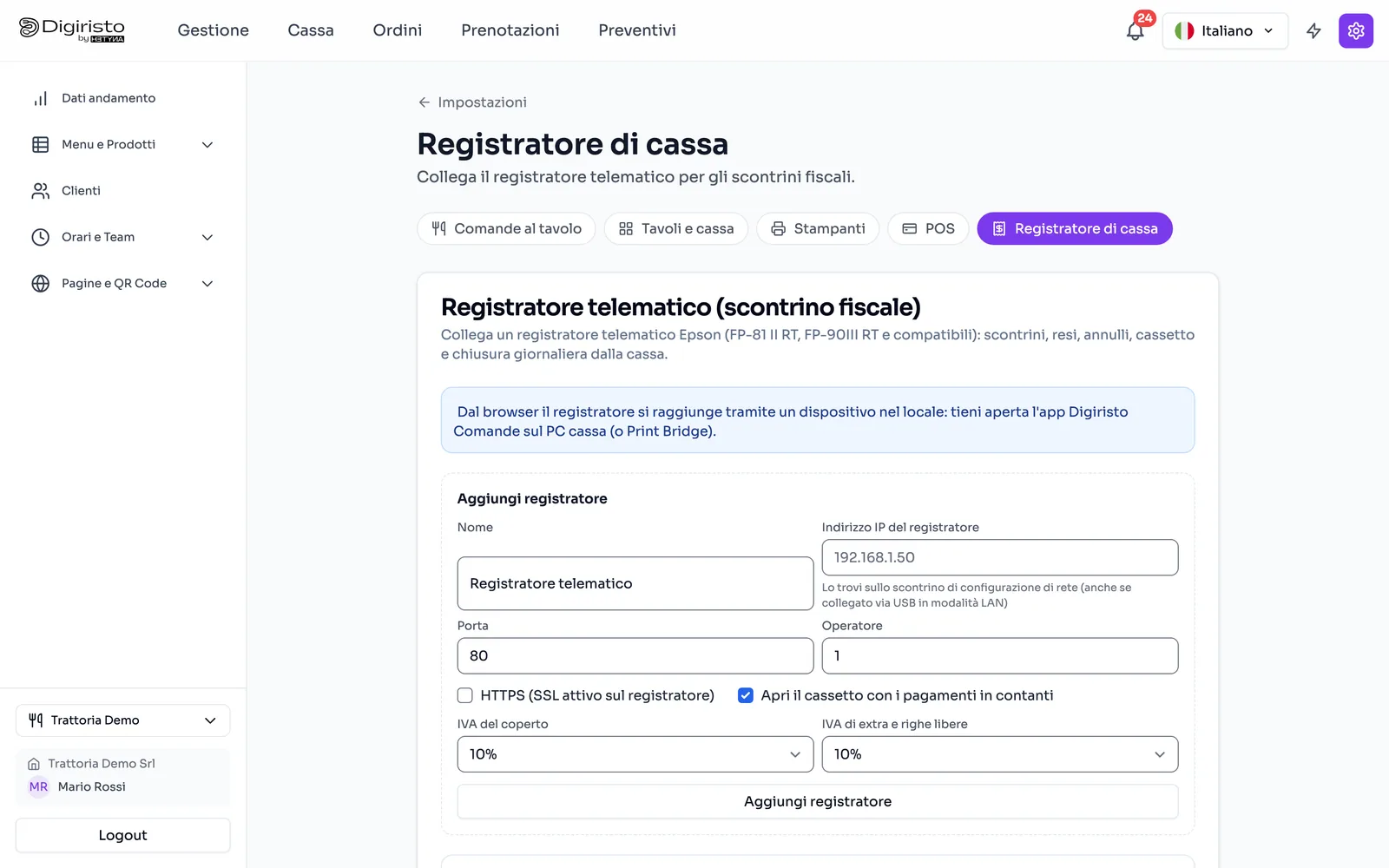
Connect an Epson RT fiscal printer (for example FP-81 II RT or FP-90III RT) and Digiristo issues the fiscal document when the bill is closed. Refunds, voids and the daily closure with transmission of takings are handled from the till as well.
- Automatic receipt when the bill is closed
- Per-line refunds in cash or to card and document voids
- Daily Z closure, X report, cash in and cash out
- Receipt lottery code, customer tax code or VAT number
- VAT rates per category and per product, cash drawer opening
Up and running in an afternoon
- 1
Load your menu
Import dishes from CSV or start from the ready-made menu: categories, prices and VAT rates.
- 2
Draw your floor
Place tables on the map and connect kitchen, bar and fiscal printers.
- 3
Open the first bill
Log in from the till or the waiter app with your PIN and start service.
POS technical sheet
- Devices
- Any modern browser; desktop app for Windows (x64) and macOS (Apple Silicon); Android and iOS app
- Fiscal printers
- Networked Epson RT, for example FP-81 II RT and FP-90III RT
- Card terminals
- Local-network terminals using Protocol 17 (ECR17)
- Ticket printers
- Epson ePOS and networked ESC/POS printers (port 9100), 58 or 80 mm paper
- Payment methods
- Cash with change, card, meal vouchers, unpaid
- Plan
- Included in Premium, with a 30-day free trial
POS frequently asked questions
Does Digiristo work with my fiscal printer?
Digiristo connects to networked Epson RT fiscal printers such as FP-81 II RT and FP-90III RT. If you have another model, contact us and we will check compatibility together before you change anything.
Do I need a dedicated computer for the till?
No. The POS opens in the browser on any PC, Mac or tablet. For generic ESC/POS printers, card terminals and fiscal printers from a browser, use the Digiristo Comande app for Windows or macOS, or the small Print Bridge program on a PC or Raspberry Pi in the venue.
Can I keep counter bills separate from tables?
Yes. You can create cash points such as Bar or Takeaway, each with its own menu, next to the dining room tables.
How does card payment work?
If your terminal supports Protocol 17 (ECR17) on the local network, the till sends it the amount and receives the payment result. You never type the amount on the terminal and the bill closes by itself.
Can I use the POS if my menu changes often?
Yes. Prices, dishes and availability are edited in the back office and update immediately in the POS, the waiter app and the QR code menu.
How much does the Digiristo POS cost?
The POS is included in the Premium plan (€59.99 per month, or €49.99 per month billed yearly) together with the waiter app, kitchen printing, floor plan, bookings and online orders. You can try it free for 30 days.
Try the POS on your next service
Start the free trial, load your menu and open the first bill in minutes. Not sure yet? Book a demo and we will show you live.
30-day free trial of the Premium plan · No card required